Frontlines or CONQUEST With Friends: Room Setup Guide
Frontlines rooms start 25 seconds after the first player joins. CONQUEST seats 2 to 6. How to set up a game for your group, and what trips people up.
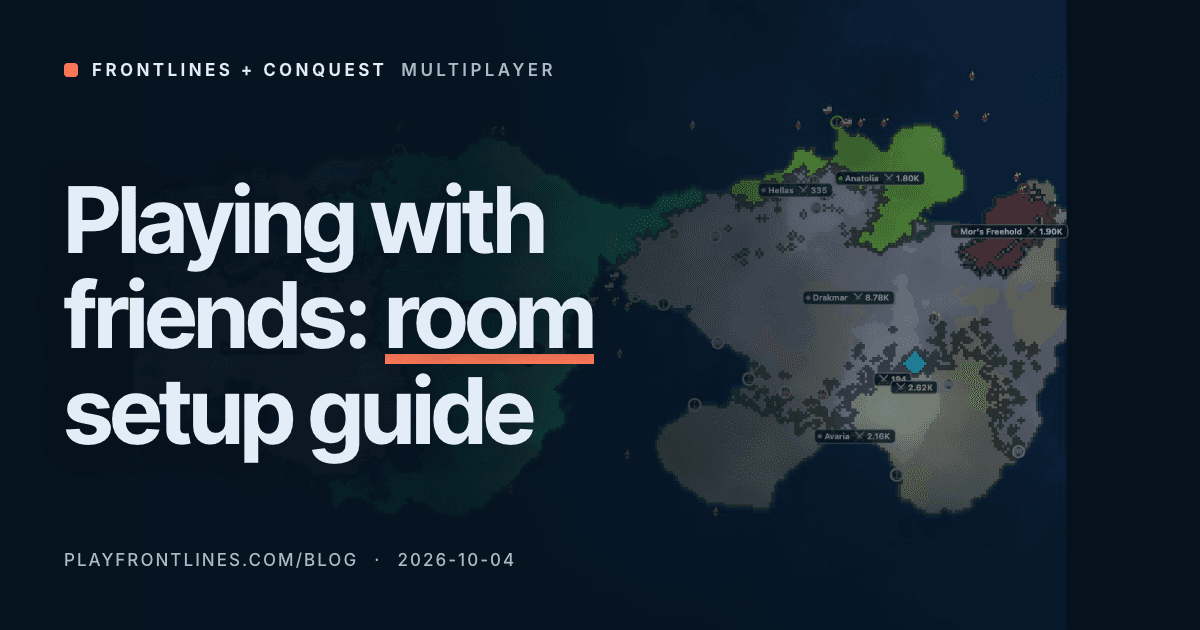
For a Frontlines game, create a custom room, untick Public listing and send your friends the invite link the lobby shows. The match starts 25 seconds after the first player walks in, so everyone has to be ready. For CONQUEST, create a lobby, set the seats to your group size and turn bot filling off. Nobody else can sit down once it is full.
Both games run in the browser and need no account. They handle a group very differently, so this page covers each setup and what the code does with your friends once they click. In Frontlines that means the 25 second clock and the team picker.
A Frontlines room is a link and a 25 second clock
The multiplayer menu has a Create a custom game box. You pick a mode (free-for-all, 2, 3 or 5 teams, or the co-op Outbreak mode), a map, a world size (Normal or Large) and a player count from 12 to 60. Bots fill every seat your friends do not. The server runs those bots at Hard difficulty, so a room of four friends and 14 bots is not a relaxed stroll.
The last option is Public listing. Leave it ticked and your room appears in everyone's Open games list. Untick it and the room only exists for people who have its name. Once you are inside, the lobby prints the invite link, playfrontlines.com/?room= plus the room name, next to a Copy link button. The Frontlines FAQ describes the same steps.
Settings belong to whoever creates the room, and only the Create form can create one. A link just joins. If a friend opens the link before the room exists, the page says the room does not exist yet and asks the server again every 2 seconds, for about 5 minutes. The moment the host creates the room, the waiting friend is in it, with the host's settings.
We ran that against the real server code (scripts/research/friends-teams.mjs in the blog repository). The early tab got a "no room" answer. After the host created a 3-team Europe room under that name, the same tab joined that exact room, and the room stayed out of the public list.
Then the clock matters. The lobby countdown is 25 seconds in the server code and it starts the moment one person is in the room. It only resets when the room is empty. After it ends there are 15 seconds to pick your spawn, then the war begins.
| Phase | Length | What happens |
|---|---|---|
| Lobby | 25 s | Counts down from the first player in |
| Spawn | 15 s | Everyone's flag is visible, click to move it |
| Match | up to 45 min | Normal world, 67.5 min on Large |
| Results | 15 s | Room returns to the lobby for another round |
Anyone who arrives after the lobby closes sees a notice that a match is in progress and joins the next round. Eleven friends clicking at different moments is how one of them misses the war.
The waiting behavior is the way around that. Agree on a room name first: letters, digits, hyphens and underscores, up to 24 characters, and capitals count. Everyone opens playfrontlines.com/?room= plus that name and presses Join, which puts them in the waiting state. Then the host creates the room under the same name in the Create form. Every waiting tab is in the lobby within about 2 seconds, with most of the 25 seconds left.
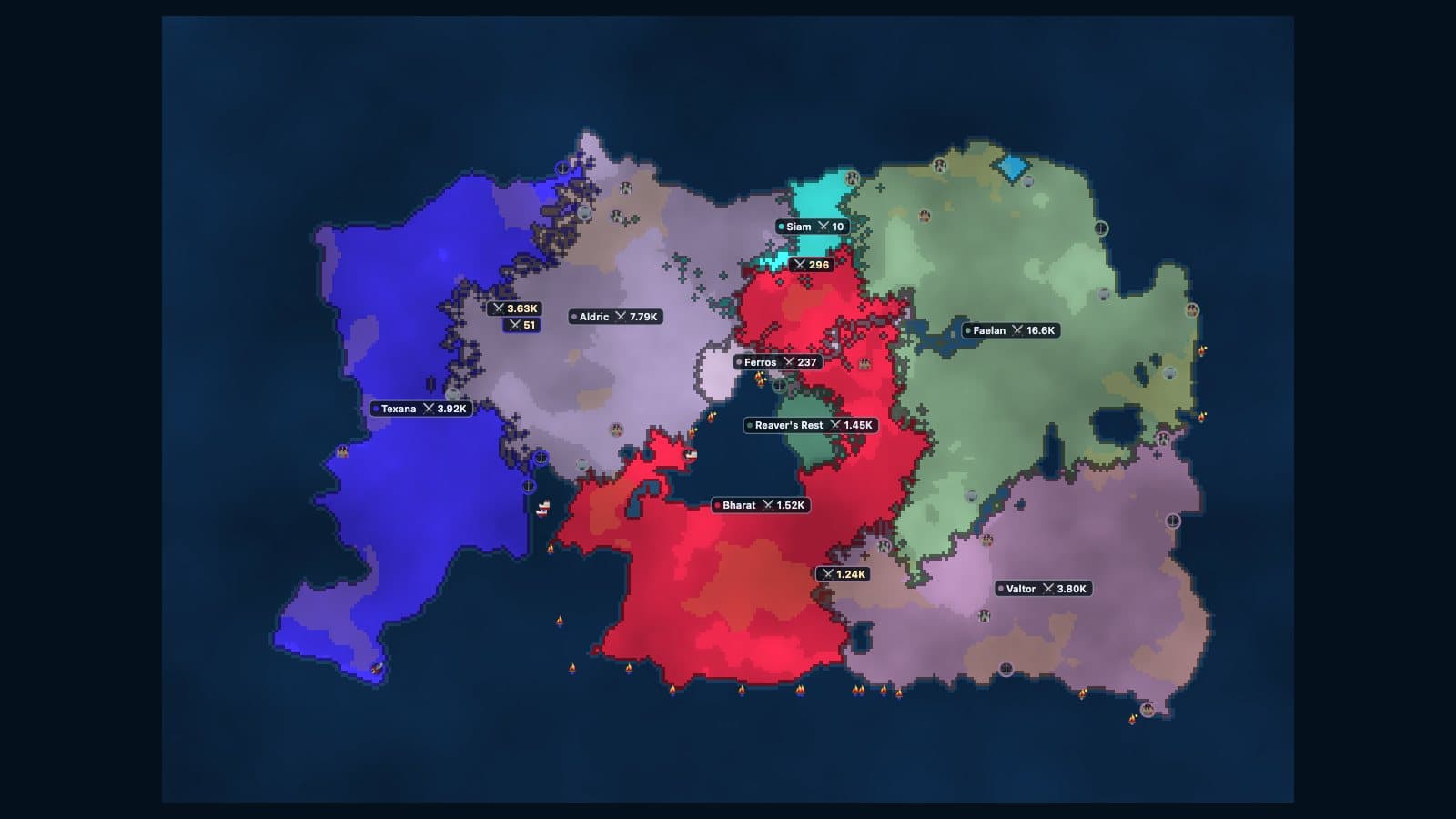
The lobby shows every team, and one click switches sides
In the team modes every player has a team from the moment they enter the room. The lobby shows one box per team with the names in it, and where you start depends on how you arrived.
| How you joined | Where you start |
|---|---|
| Created the room | Team 1 |
| Invite link | The host's team, while it has a free seat |
| Open games list | The smallest team |
The same script joined a 2-team room of 12 as five players: a host, two friends through the invite link and two strangers from the list, in this order.
| Player | How they joined | Starts on |
|---|---|---|
| Host | created the room | team 1 |
| Stranger 1 | Open games list | team 2 |
| Friend 1 | invite link | team 1 |
| Stranger 2 | Open games list | team 2 |
| Friend 2 | invite link | team 1 |
The friends stayed with the host although strangers joined in between. Players who all come from the list are dealt out in turn instead. Six of them, in join order:
| Mode | 1st in | 2nd | 3rd | 4th | 5th | 6th |
|---|---|---|---|---|---|---|
| 2 teams | team 1 | team 2 | team 1 | team 2 | team 1 | team 2 |
| 3 teams | team 1 | team 2 | team 3 | team 1 | team 2 | team 3 |
| 5 teams | team 1 | team 2 | team 3 | team 4 | team 5 | team 1 |
So two friends who both press Join in the Open games list, one after the other, still start on opposite sides of a 2-team room. That costs one click to fix. Every team you are not on has a Join button, and it works until the countdown ends. After that the teams are fixed for the match.
The picker also covers the opposite wish. For a 2v2 among four friends, all four open the link and start together, then two of them click the other team.
A team holds only its share of the room's seats, and bots fill what the humans leave, so the sides end up the same size.
| Room size | 2 teams | 3 teams | 5 teams |
|---|---|---|---|
| 12 players | 6 / 6 | 4 / 4 / 4 | 3 / 3 / 2 / 2 / 2 |
| 18 players | 9 / 9 | 6 / 6 / 6 | 4 / 4 / 4 / 3 / 3 |
| 24 players | 12 / 12 | 8 / 8 / 8 | 5 / 5 / 5 / 5 / 4 |
In a 12-player room with 2 teams, a seventh friend finds the first team full and starts on the other one. Three friends on one team get three bots beside them and six bots across the border.
Teammates cannot attack each other, and a team wins when its members together hold 70% of the land or the other teams are gone.
Outbreak is the exception. Every rival is a zombie horde, humans cannot attack one another, and surviving to the final whistle is the win. It is the easiest way to get a group of mixed experience through a full match together. For what to do with the first few minutes of any of these, read what to build first in Frontlines.
A CONQUEST lobby is a table with 2 to 6 seats
CONQUEST is turn-based and RISK-style, with up to six players around one board. The host creates a lobby and then controls it: map (15 real-world maps), bot difficulty (Easy, Medium, Hard or God Mode), the dice mode, the turn timer, auto-deal or manual draft, World Domination or Capitals, progressive or fixed cards, and fog of war. The how to play page explains each one. CONQUEST is an independent game and not affiliated with Hasbro, the maker of RISK.
Friends join from the lobby list. There is no invite link and no password in the game's client code. That is a real limit compared with Frontlines, and the setup compensates for it:
- Set the maximum players to the number of friends you are expecting.
- Switch off fill with bots if you want only humans. With fill on, the host presses Start and bots take the empty seats.
- When every seat is taken, the server answers "lobby full" to anyone else. If bots are in the lobby, a joining human displaces one.
- The host can kick a seat from the lobby screen, which covers anyone who wandered in early.
With bots off, every seat filled and every human ready, the game starts by itself. Otherwise the host presses Start, which needs at least two players.
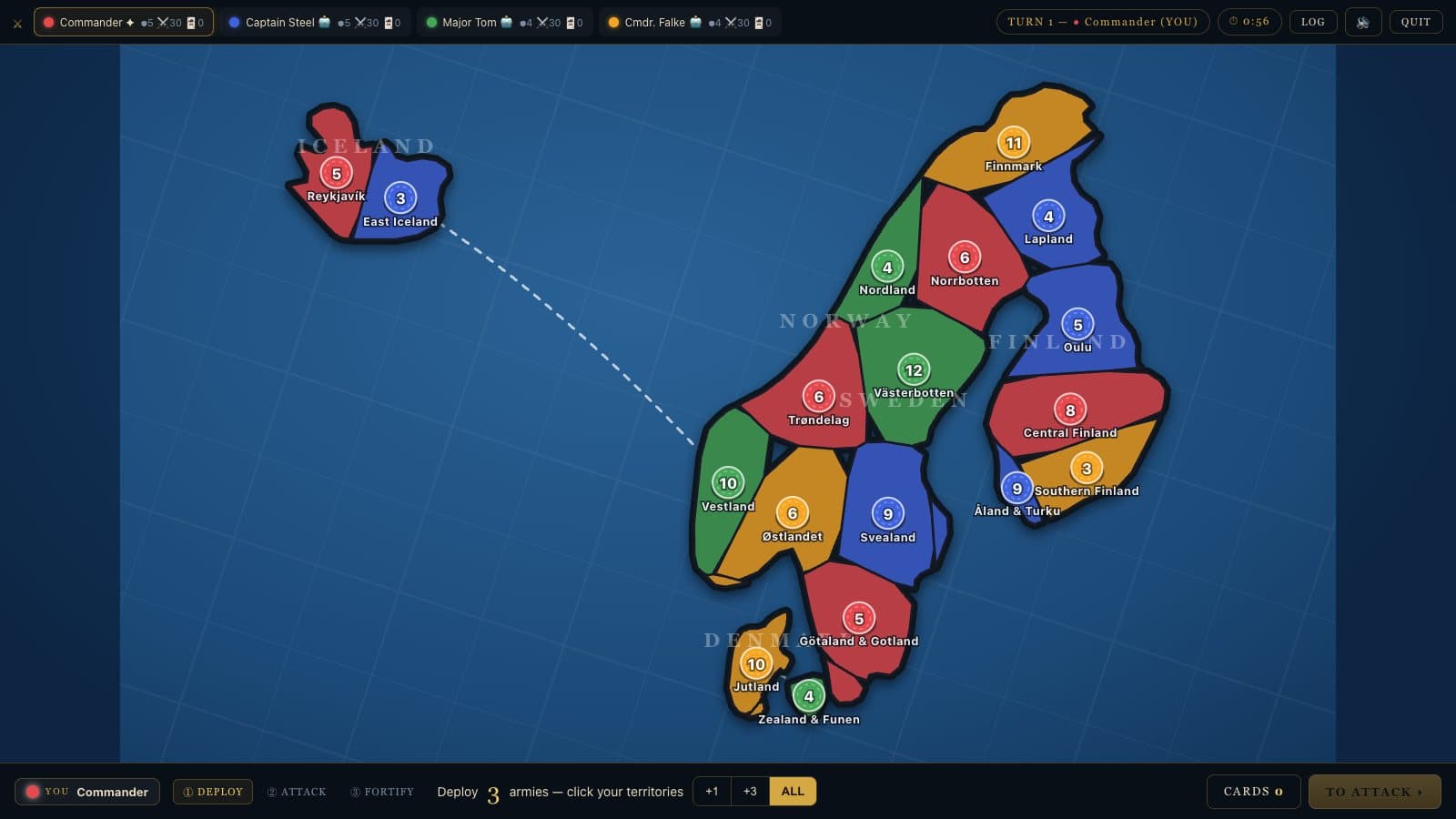
Turn timers decide whether the evening works
Turn-based sounds relaxed until four people wait on each other. The host picks 30, 60, 90 or 120 seconds per turn. When someone runs out of time, a medium-difficulty bot finishes their turn instantly. Miss two turns in a row and a bot plays the seat until that person acts again. A friend who steps away for a snack loses a turn, not the game.
Alliances are social here. The rules page says nothing is enforced and a betrayal is announced to the whole table. That suits a group that enjoys the stab in the back and ruins an evening for a group that does not, so agree on it before the first attack. If the table is arguing about luck, the exact RISK dice odds settle whether that 3 against 2 roll was unlucky or normal.
Which one fits your group
| Frontlines | CONQUEST | |
|---|---|---|
| Pace | Real time, up to 45 min | Turn by turn, timer 30 to 120 s |
| Humans | Up to 12 per match | 2 to 6 seats |
| Private link | Yes, unlisted room by name | No, public lobby list |
| Teams | 2, 3 or 5 teams, picked in the lobby | None, free-for-all with alliances |
| Co-op | Outbreak mode | No |
| Joining late | Next round | Lobby only |
Pick Frontlines when the group is larger than six, when you want two teams, or when everyone plays at the same time on phones and laptops. The FAQ says drag-to-pan and pinch-to-zoom work on phones and tablets. Pick CONQUEST when you want a board-game night with talking and betrayal, and when waiting for a turn is part of the fun.
Other games cover other needs. OpenFront is a free, open-source, real-time territory game with alliances. War.app, where warzone.com redirects, says you can play its RISK-style game "alone or with friends" and lists a Create Game option for multiplayer. We make Frontlines and CONQUEST, so check those two on their own pages before you decide. The Frontlines alternatives page compares the whole field.
More from the blog.

Browser Strategy Games With Real-World Maps, Compared
Frontlines and CONQUEST ship 20 real-world maps between them. Which browser strategy games use real geography, and how real each map is.
Oct 10, 2026 · 6 min
Real-Time or Turn-Based: Frontlines vs CONQUEST
Frontlines runs on a 45-minute clock. CONQUEST waits for your turn: a 4-player World game took a median 27 rounds. Which one to play tonight.
Oct 07, 2026 · 5 min
RISK-Style Browser Games: Which Need No Account?
Five RISK-style games you can play online, checked on their own sites: who asks for an account, who has bots, and how long a 2-player game runs.
Oct 18, 2026 · 5 min